Monitor DSE In-Memory usage
You can monitor DSE In-Memory tables in OpsCenter in several ways:
-
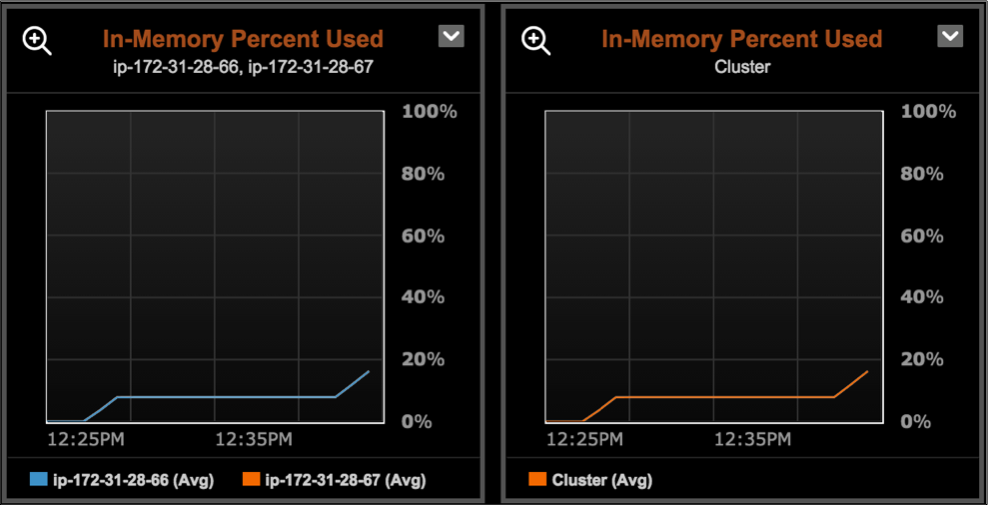
Add an In-Memory Percent Used alert to monitor the amount of memory used by in-memory tables so you can allocate more memory or make other adjustments before all available memory is consumed.
-
Add a graph to the OpsCenter dashboard for the In-Memory Percent Used metric.
-
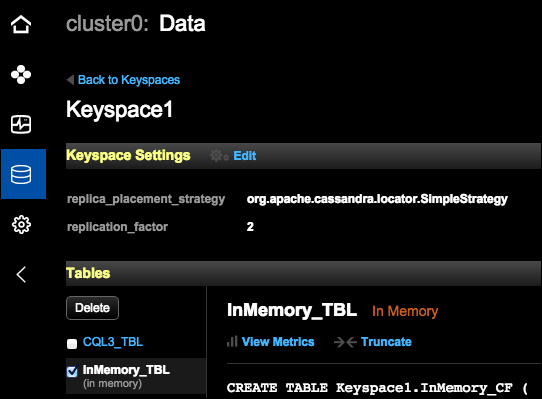
In-Memory tables are flagged with an In-Memory label for easy identification when inspecting the tables in a keyspace in the OpsCenter UI (Data > Keyspace > Tables).
-
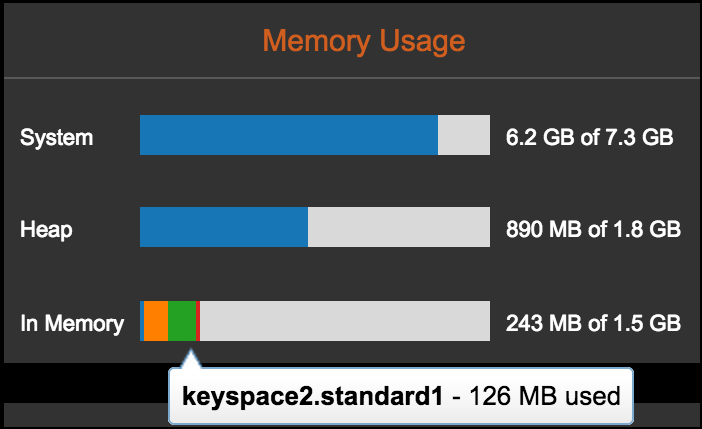
A node’s In-Memory usage is shown in the node details (Cluster > Nodes > List View > Node name) in the Memory Usage graphs. If the node is configured for In-Memory, then the In-Memory Usage graph shows In-Memory usage by table. Each In-Memory table takes up a portion of the usage and appears as a different slice within the bar graph, up to the maximum threshold. The remainder of the graph represents free space.